
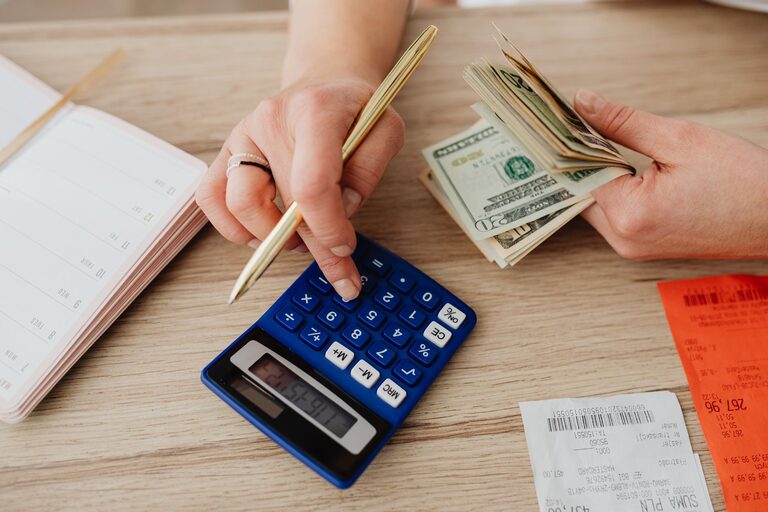
Tracking daily expenses does not have to mean building a complicated spreadsheet or recording every purchase in several different places. A simple system can help you understand where your money goes, spot common spending patterns, and make more informed choices.
The most useful system is one you can follow consistently. Whether you prefer a notebook, spreadsheet, or mobile app, the goal is the same: record expenses clearly, review them regularly, and use what you learn to improve your everyday planning.
Why Track Daily Expenses?
Small purchases can be easy to overlook. A coffee, snack, delivery fee, or convenience purchase may not seem important on its own, but several small expenses can add up over a week or month.
Tracking expenses can help you:
– See how much you spend in different areas
– Identify purchases you may have forgotten
– Find recurring expenses
– Compare planned spending with actual spending
– Prepare for upcoming costs
– Make decisions based on real information
Expense tracking is not about judging every purchase. It is simply a way to create a clearer picture of your daily habits.
Choose One Tracking Method
The best method is the one that feels convenient enough to use every day. Choose one primary tool instead of switching between several systems.
Use a Notebook
A notebook is inexpensive, private, and easy to customize. Create columns for:
– Date
– Description
– Category
– Amount
– Payment method
– Notes
This option works well if you enjoy writing things down and usually carry a notebook with you.
Use a Spreadsheet
A spreadsheet gives you more flexibility. You can sort expenses, calculate totals, and create simple summaries.
Useful columns include:
| Date | Description | Category | Amount | Payment Method |
|—|—|—|—:|—|
You can create one sheet for each month or use a single table for the entire year. If you use formulas, keep them simple so the system remains easy to maintain.
Use a Mobile App
An expense-tracking app can be helpful if you make most purchases with a phone or card. Many apps allow you to create categories, set reminders, and view summaries.
Before choosing an app, consider whether it is easy to use, supports your preferred devices, and allows you to export or review your information. Avoid choosing a tool with more features than you need.
Create a Short List of Categories
Categories make your records easier to understand. However, too many categories can make tracking feel like extra work.
Start with five to eight broad categories, such as:
– Housing
– Food
– Transportation
– Household
– Personal
– Entertainment
– Health and wellness
– Other
You can adjust these categories later. For example, if food spending is especially important to you, you could divide it into groceries, restaurants, and takeout. Do this only when the extra detail helps you make better decisions.
A category called “Other” can be useful, but review it regularly. If many expenses end up there, you may need to create a more suitable category.
Record Expenses at the Right Time
The easiest time to record an expense is soon after it happens. Waiting several days can lead to forgotten purchases, incorrect amounts, or unclear descriptions.
Try one of these approaches:
– Record each purchase immediately
– Set aside five minutes at the end of the day
– Enter expenses after checking your receipts
– Use a reminder at a consistent time
Choose a routine that matches your schedule. If you often forget to record cash purchases, keep a small note in your wallet or use a phone reminder.
For each expense, write enough information to recognize it later. “Store” may not be clear after a few weeks, while “groceries” or “household supplies” gives you more useful context.
Include All Types of Spending
A tracking system is most useful when it includes more than major purchases. Record:
– Cash payments
– Debit and credit card purchases
– Online orders
– Automatic payments
– Subscriptions
– Fees
– Shared purchases
– Refunds and returns
You do not need to track transfers between your own accounts as expenses. These are movements of money rather than purchases. However, make sure your system clearly separates transfers from actual spending so your totals remain accurate.
If you share expenses with someone else, record only the amount that applies to you, or add a note showing how the cost was divided.
Separate Fixed and Flexible Expenses
Another helpful distinction is whether an expense stays mostly the same or changes from day to day.
Fixed Expenses
Fixed expenses are usually regular and predictable. Examples may include:
– Rent or mortgage payments
– Insurance
– Memberships
– Internet service
– Regular subscriptions
Flexible Expenses
Flexible expenses can change based on your choices or needs. Examples include:
– Groceries
– Dining out
– Transportation
– Clothing
– Entertainment
– Household purchases
This distinction can help you see which expenses are already committed and which areas may offer more flexibility. It also makes planning for the month easier.
Set a Daily Tracking Routine
A routine turns expense tracking into a habit. Choose a regular time and connect it to something you already do, such as checking your calendar or preparing for the next day.
A simple daily routine might take five minutes:
- Enter every purchase from the day.
- Check your bank or payment records for missed transactions.
- Assign a category to each expense.
- Confirm that amounts are correct.
- Add a short note for anything unusual.
Do not try to make the system perfect. If you miss a day, continue the next day and fill in what you can. Consistency over time matters more than flawless records.
Review Your Expenses Weekly
Daily tracking tells you what happened. A weekly review helps you understand it.
Once a week, total each category and look for patterns. Ask questions such as:
– Which categories had the most activity?
– Were there any unexpected purchases?
– Did several small expenses add up?
– Were any subscriptions or automatic payments charged?
– Did an unusual event affect spending?
– Are there expenses coming up next week?
Keep the review practical and brief. The purpose is to learn from the information, not to create a complicated report.
Make One Small Adjustment at a Time
After reviewing your records, choose one realistic change to try. For example, you might:
– Plan meals before shopping
– Pack a snack for busy days
– Review subscriptions
– Group errands together
– Set aside money for a predictable annual cost
– Create a separate category for a frequent purchase
Small adjustments are easier to maintain than several major changes at once. Give each change enough time to evaluate whether it is useful.
Keep the System Simple
A tracking system can become difficult when it includes too many rules. Keep only the details that help you understand your spending.
To make your system easier:
– Use clear category names
– Keep descriptions short
– Avoid recording the same purchase twice
– Review your categories once a month
– Use a template for repeated expenses
– Keep your notebook, spreadsheet, or app easy to access
If tracking takes too long, simplify it. A basic record with a date, description, category, and amount is better than an elaborate system you stop using.
Final Thoughts
A simple daily expense system can give you a reliable view of your everyday spending. Choose one tool, create a manageable set of categories, record purchases regularly, and review the results once a week.
The value comes from building a clear record over time. You do not need to change everything at once. Start with a system that takes only a few minutes a day, then adjust it as you learn what works best for you.